
|
| HOME | DOORS | SCORES | FOR SYSOPS | FAQs | BBS LIST | ABOUT | CONTACT |
|
BBSlink Graffiti Wall
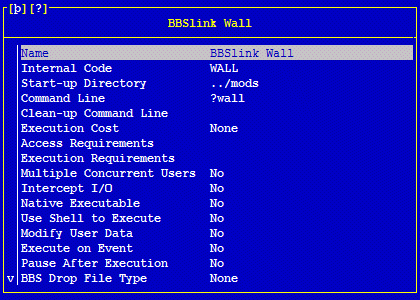
Synchronet and Amiga CNet sysops can use a simple client script to allow users to access the BBSlink Graffiti Wall. No further registration is required, just enter your exisiting credentials into the wall client and you're good to go. The wall works quickly using the BBSlink server but does not have the usual delay encountered when connecting to a door. It is designed to be included in your welcome pages. For Synchronet systems, simply adding it to your logon.js (see below) will display the wall and invite users to add to it on every connection. You can also add a live view of the wall to your BBS website (the graphic above) from http://games.bbslink.net/wall.php For Synchronet Systems:
For Amiga CNet Systems:
Download Synchronet Client Script |
|

| ©2026 BBSlink.net. All Rights Reserved. |